


GmsCore APK
MaR-V-iN
- Version
- 0.3.17.252432
- Size
- 108.1 MB
- Android
- 5.0+
- Category
- Tools
Screenshots
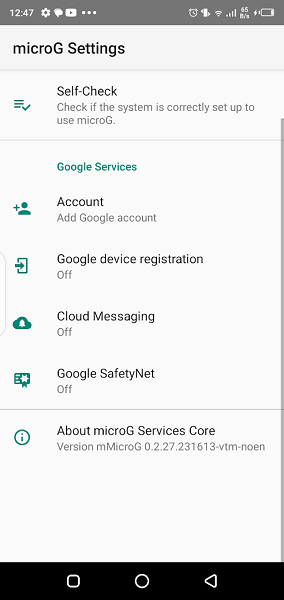
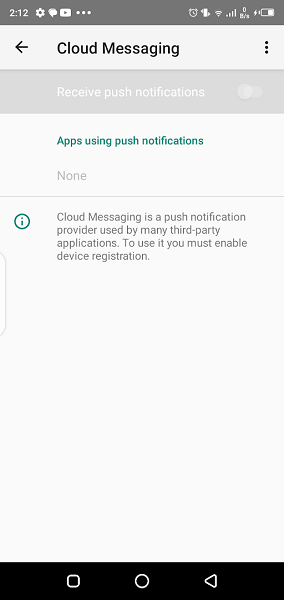
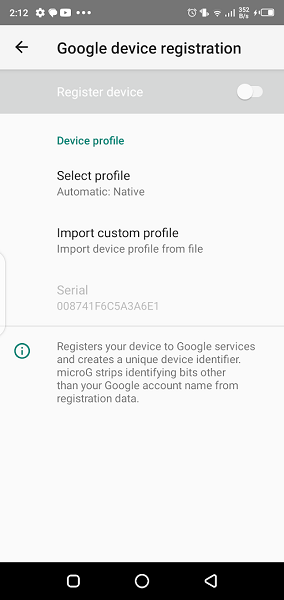
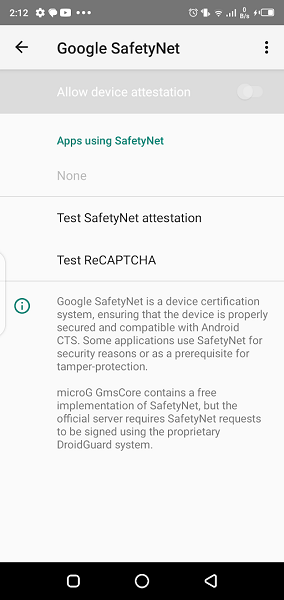
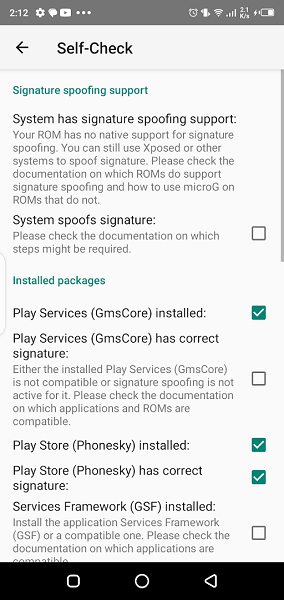
What's new
Version 0.3.17.252432 is the newest build on APKBlade, updated 2 October 2026.
Open-source Play Services alternative for app compatibility!
Many apps need Google Play Services to function correctly. Play Services provide features like location tracking, user authentication, and privacy settings. However, some people don’t want to use Google’s services due to privacy concerns or for an open-source experience. That’s where microG GmsCore APK comes in useful.

What is microG GmsCore APK?
MicroG GmsCore APK is a replacement for Google Play Services. It acts as a background service and API package for Android devices. This allows apps that normally require Play Services to run without it.
The Open-Source Solution
MicroG GmsCore APK is free and open-source software (FLOSS). Anyone can use, modify, and share it. It’s designed to enable apps to operate on systems without Google Play Services. Users can choose to avoid Google’s services with this alternative.
The GmsCore app is great because it comes from developers who want to protect your privacy and give you freedom of choice. By using GmsCore, you get important services and also support open-source projects.
How Does GmsCore Work?
GmsCore works like Google Play Services. It has a system that apps can use for things like maps, location, and signing into accounts. When an app needs these services, GmsCore responds like Google Play Services would, but without sending your data to Google.
GmsCore has a few parts. The main part is GmsCore itself. Another part is GsfProxy, which helps with Google Cloud Messaging. And FakeStore is a fake app that makes other apps think the Google Play Store is installed.
Installing GmsCore
To install GmsCore, you can download it from websites like the microG Project, GitHub, or SourceForge. Installing it might be a bit harder than installing an app from the Google Play Store. Often, it would be best if you had a custom recovery or root access on your device. But for tech-savvy people, the process is straightforward and well-explained online.
Customizable and Privacy-Focused
GmsCore APK gives you more control over your device. You choose which Google services you want to use and how to access your location. This appeals to people who care about privacy and want to share less data with Google.
The Future of Android Without Google
GmsCore APK is an important step towards using Android without Google’s services. It allows devices running AOSP to access more apps. This is vital for users where Google services are restricted or devices without Google Play Services pre-installed.
Conclusion
GmsCore APK is more than just a way to use apps without Google Play Services. It represents digital freedom and privacy. It lets you decide which services you use and how. With GmsCore APK, you get a more customizable, private, and open-source Android.
GmsCore APK is worth exploring for developers supporting more devices, privacy-conscious users, or tinkerers. The microG Project provides stable and nightly updates, ensuring it evolves to meet user needs. GmsCore APK empowers you to enjoy Android your way.
More About GmsCore
| Name | GmsCore |
|---|---|
| Package Name | com.google.android.gms |
| Category | Tools |
| Version | 0.3.17.252432 |
| Size | 108.1 MB |
| Requires Android | 5.0 and up |
| Developer | MaR-V-iN |
| Last Updated | 2 October 2026 |
How to Install GmsCore
- Tap the download button and let the file finish.
- Open the file from your notifications or the Downloads folder.
- If Android asks, allow your browser to install unknown apps.
- Tap Install, then open the app.
FAQ'S
How to install GmsCore on android phone?
Once you've downloaded the APK file, click on the downloaded file, then hit the "Install" button.
I am getting Play Protect warning while installing!
Some mod APK files might get a warning. You can ignore this warning and install the APK file. Follow these simple steps to turn off Play Protect: Open Google Play app > Click Profile Icon > Select Play Protect -> Setting > Turn off both "Scan apps with Play Protect" and "Improve harmful app detection" options.
How to update APK without losing the data?
To update APK without losing the data, you don't need to follow anything extra. Click on the downloaded APK file and click the "Install" button. The app will update automatically without loss of data.
How to fix problems while installing/opening?
Make sure you have downloaded the file correctly. The downloaded file extension must end with .apk file. If you face any package install error, redownloading the file may fix the issue.


















Ratings and reviews
There are no reviews yet. Be the first one to write one.